
Randolph County Civil Docket Searches
Indiana MyCase is the tool for a Randolph County civil docket search. It pulls public civil filings from Randolph Circuit Court, Randolph Superior Court, and some Union City City Court cases. Have a cause number? Case mode is your friend. With only a party name, switch to Name/Party mode instead. Pick Randolph County, then set the type filter to Civil, Family, or Probate. There are also file-date fields. Those narrow the filing window, not the hearing calendar.
A complete cause number works best of all. It starts with county code 68 and carries the court, the filing period, the case type, and the sequence number. Typing it without hyphens or leading zeroes still works. Name-only searches, though, can pull dozens of unrelated matters, so check the court, the filing date, the status, the party role, and the case category before you open any record.
- Open Indiana MyCase and select the correct search mode.
- Enter one case identifier or a party name and narrow to Randolph County.
- Confirm the court code, filing date, case type, and status.
- Read filings, motions, settings, orders, and outcomes in sequence.
- Ask the clerk for an unlinked or certified record.
Randolph County Small Claims Civil Dockets
Randolph County's small-claims and eviction page names Superior Court as the local venue for these filings. The claim limit is $10,000 or less. A written ten-day notice must precede any nonpayment eviction filing. Those local facts point you toward the right case type, but the cause number and the MyCase court field still govern the docket search.
The official small-claims Notice of Claim collects plaintiff and defendant contact blocks, the claim amount, requested costs, a service choice, a signature, and a notice-to-appear date. The eviction form opens with a 68D01 Superior Court caption and asks for lease, property, rent, notice, possession, and service details. Remember that a filled-out form is just a filing. It does not prove service happened or that judgment was entered.
The official county filing page spells out these requirements.
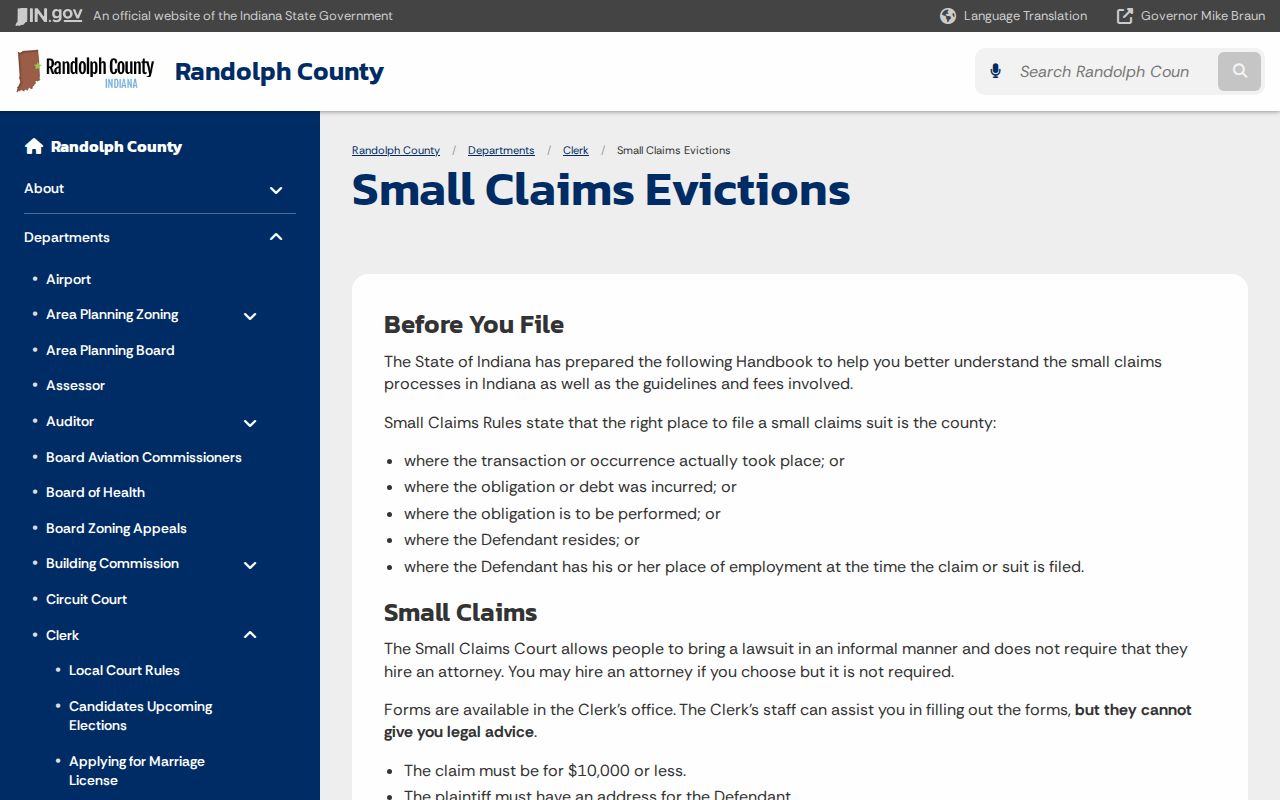
That filing context is useful, but the Chronological Case Summary is still where service, settings, orders, and disposition live. Check the CCS for the actual case history.
Civil Dockets: What They Show
Indiana names its event list a Chronological Case Summary, or CCS. The header on a Randolph County civil court docket may list the cause number, filing date, court, and judge. It can also show case type, caption, and open or closed status. The entries below it tell the story. You can spot a complaint or petition, summons, service return, answer, motion, notice, hearing, order, and judgment. Enforcement steps, satisfaction, and appeal may appear too. Links to public documents vary by case type and access level.
| Case Number | A synthetic format is 68D01-YYMM-SC-#####. |
|---|---|
| Parties | Plaintiff or petitioner and defendant or respondent roles. |
| Filings | Complaint, petition, answer, notice, and public exhibits. |
| Motions | Filed motions and the separate orders that decide them. |
| Judgment | Judgment, default, dismissal, satisfaction, or appeal entry. |
Service on Randolph County Civil Dockets
Service comes first when you read a civil hearing entry in Randolph County. A date on the calendar proves nothing by itself. The other side must actually get the papers. So scan the docket for a summons or notice, plus the chosen method of delivery. Look for a return or acknowledgment proving it worked, and any order triggered when it did not. Failed service often leads to a reset with fresh notice.
Pair every motion with its matching order. A motion on the docket is only a request, never a ruling. The same caution applies to a request for default judgment. You may see the default request, a hearing, and a final judgment logged as three separate events. Entries after judgment can bring garnishment, proceedings supplemental, an appeal, or a satisfaction. That satisfaction notes the judgment was handled.
What Cases Fill the Civil Docket
Money fights are just the start of a Randolph County civil docket. Small claims and evictions belong to Superior Court by express assignment. Beyond that, both Circuit Court and Superior Court carry civil, family, probate, guardianship, and other matters under Indiana law and the local allocation plan. No single dollar rule steers every general civil case to one court, so never guess the venue from the amount a plaintiff asks for. Check the docket entry itself to learn which court took the filing.
- Contract, collection, and civil plenary claims.
- Tort and property disputes.
- Small claims assigned to Superior Court.
- Eviction matters assigned to Superior Court.
- Family, probate, guardianship, and protection-order matters where public.
Randolph County Circuit and Superior Civil Dockets
Randolph Circuit Court sits in Room 301 of the county courthouse. Reach it at (765) 584-4011 or (765) 584-0645. Randolph Superior Court occupies Room 302, with the number (765) 584-3309. The Superior Court's civil docket carries the county's small claims and evictions. Circuit Court holds exclusive local assignments for probate, estates, guardianships, adoption, mental-health, and juvenile categories laid out in the local rule.
One elected Randolph Circuit Court Clerk keeps the records for both courts. That makes Room 201 the general public-record counter. Even courtroom staff may run a particular hearing. A court office can confirm its calendar. The clerk handles case-file copies, payment routing, and certification. Turn to Union City City Court only when the cause or the record itself names that venue.
Hearings on the Civil Docket
A civil docket setting in Randolph County lists a date, time, room, judge, and purpose. That block is worth reading closely. Trust the most recent notice or order. The CCS keeps old events in the history even after a continuance, reset, or vacated setting. A date can linger long after it stopped being real. Also remember that filing a motion to reset moves nothing by itself. The court has to grant it and enter a new date before the hearing actually changes.
The county posts no separate daily hearing database. MyCase lets you filter by filing date, but it does not promise a hearing-date search. For a live answer, confirm Circuit settings with Room 301, Superior settings with Room 302, and Union City settings at (765) 964-5968. When a filed notice has no image online, the clerk can supply one. The Randolph County court schedule carries more detail.
Unlinked Randolph County Civil Docket Orders
A CCS line and the document behind it are two different records. MyCase may show an event yet skip the image of the complaint, order, judgment, or exhibit. That gap can come from audience limits. It may be an older paper file, a scan that was never published, or a protected document. None of those reasons means sealed. Do not attach that label without confirmation.
For the real document, contact the Randolph Circuit Court Clerk at 100 S. Main Street, Room 201, Winchester, IN 47394. Or call (765) 584-4214. Mail requests go to the same address. Give the cause number, the exact document, the CCS entry date, the date range you want, return contact info, a delivery choice, and whether you need a plain or certified copy. The county offers no dedicated copy-request form and quotes no turnaround time.
Reading Randolph County Civil Docket Judgments
A motion, trial, or default request may show up in the Randolph County civil docket. That alone does not end a civil case. Look for the resulting order or judgment. Read its label, date, and terms. A default judgment follows a failure to respond or appear under the applicable procedure. But the docket still has to show that the court entered it. A dismissal ends a claim in whatever manner the order states. An agreed judgment reflects a resolution the parties submitted. None of those labels can be inferred from a hearing entry alone.
Post-judgment entries matter too. A proceedings-supplemental line concerns collection after judgment. Garnishment entries may show a request, order, answer, or later release. A satisfaction means the judgment has been addressed as the filed record states. An appeal can add a notice, clerk-record activity, transcript steps, and an appellate cause reference. Always read the newest entry beside the original judgment. Together they set the practical status.
For an official judgment, get a certified copy from the Randolph Clerk. Do not rely on a portal printout. Indiana's fee manual allows no more than $1 per letter or legal page. A certificate is $1. A transcript of judgment recorded as a lien is $3. Treat those amounts as state guidance rather than a promised total for every order. Before sending funds, ask the clerk about page count, separate certificates, postage, accepted payment, and delivery.
A hearing transcript is not the written judgment or the CCS. Court reporters keep transcript records. Randolph local rule LR68-AR15-704 sets private, expedited, and rush per-page maximums, plus a possible short-transcript minimum. Confirm the right reporter, current quote, format, and delivery schedule with the assigned reporter. Also confirm with the judge's office. A request for a court-file copy stays with the clerk.
Who Can See Civil Dockets
Ordinary nonconfidential Randolph County civil court dockets are generally public. Certain material is different. Family, adoption, mental-health, juvenile, protected-identifier, sealed, and other excluded records can be limited or redacted. A party can gain added document access through an Indiana Courts account and an access code. Public users see only the public layer. Need certified copies? The clerk remains the source for the official record.
Key Rules:
Indiana Access Rule 4 states the general public-access presumption.
Indiana Access Rule 5 identifies confidential, sealed, excluded, and redacted content.
Indiana Access Rule 9 provides a verified request process for extraordinary access.
Indiana's public portal is not the official certified record. When a civil case is missing there, ask whether it is restricted, expunged, filed under another court, or simply older than the online image set. A casual records request cannot bypass a court order or access rule.